
Self-Hosted CI Runners in 2026: Secure Buildbot + Containers on One VPS
Keep your pipelines fast and private without a bloated platform. If you’re running builds in-house, you want two things: predictable speed and tight isolation. This 2026 recipe shows a clean Buildbot + containers setup on one VPS—plus a simple “risk budget” idea think Utländska casinon odds: you set the limits before you play) so secrets and permissions don’t drift over time.
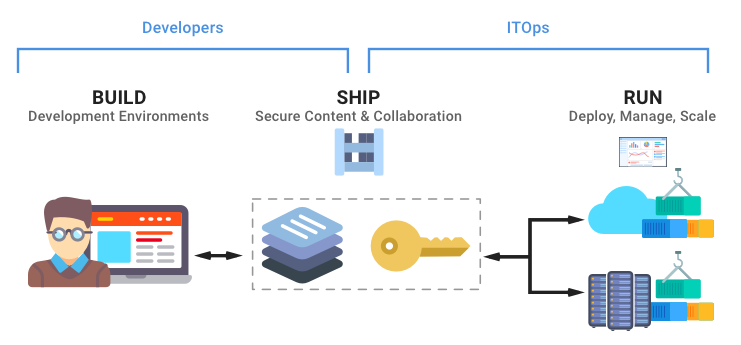
What you’re building (in one VPS)
- Buildbot master (scheduler + UI) in a locked-down container.
- Ephemeral container workers for builds (fresh per job or per pipeline stage).
- Artifact cache (registry + build cache + language caches) with sensible limits.
- Secrets boundary: least-privilege tokens, short-lived credentials, no “god” SSH keys.
Step 1 — Harden the VPS first
Before touching CI, make the host boring. A small team can maintain this if you keep it minimal:
- Dedicated user for CI services, no password SSH, keys only.
- Firewall: allow 22 from office/VPN, 80/443 public, everything else private.
- Automatic security updates + reboots in a maintenance window.
- Separate volumes for cache and logs so you can prune safely.
Most compromises start with “temporary” access. Write down who can log in and why, then review monthly.

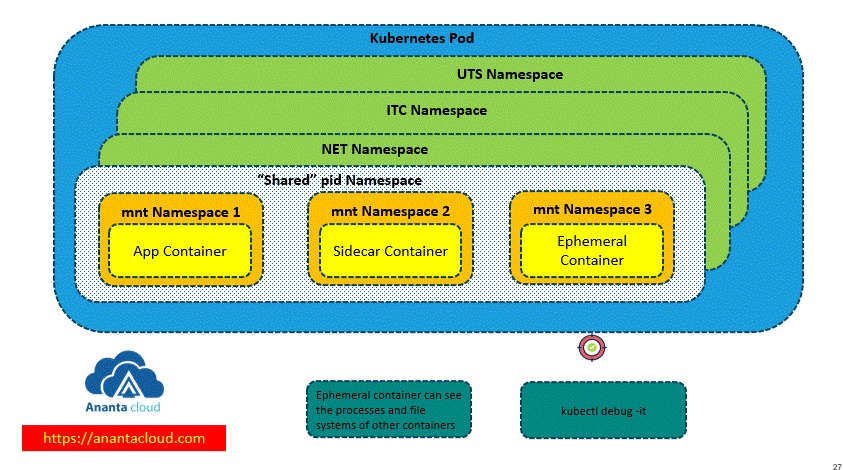
Step 2 — Containerized runners with real isolation
Two practical patterns work well on one VPS:
- Job containers: each build runs in a brand-new container and is destroyed after.
- Stage containers: one container per stage (test/build/package) with explicit mounts.
Avoid mounting the host Docker socket (/var/run/docker.sock) into jobs unless you accept the risk. If you must build images, prefer rootless BuildKit or a dedicated build service container with narrow permissions.
Minimal Buildbot worker sketch
from buildbot.plugins import util, worker
c['workers'] = [
  worker.DockerLatentWorker(
    'runner-1',
    docker_host='unix:///var/run/docker.sock',
    image='exana/ci-runner:2026.1',
    max_builds=1,  # keeps jobs isolated
    followStartupLogs=False
  )
]
Step 3 — Least-privilege secrets that don’t leak
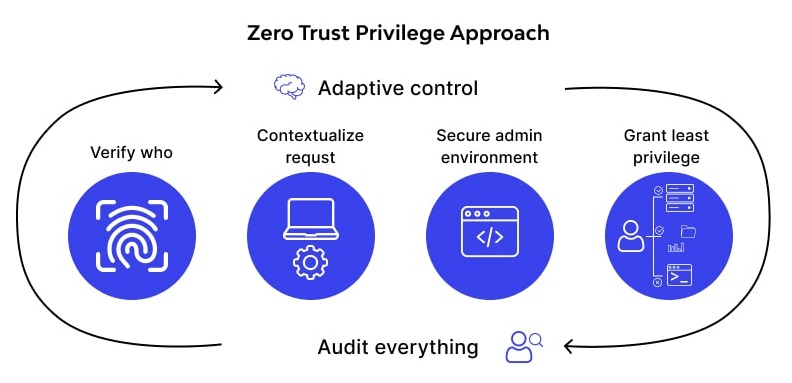
Your secret strategy should fit a small team:
- One token per purpose (read repo, push image, deploy). No multi-use mega tokens.
- Scoped registries: push only to the needed repo namespace.
- Short-lived credentials where possible (OIDC/STS) or rotate on a schedule.
- No secrets in logs: mask values and avoid echoing env vars.
Store secrets outside the repository and inject them at runtime. If you keep encrypted config in Git, decrypt only inside the deploy stage and write to tmpfs with strict permissions.
Simple “secrets contract”
- Builders get read-only access to source.
- Only the release stage gets the push token.
- Only the deploy stage gets prod credentials.
Step 4 — Cache tuning (speed without disk explosions)
Caches make CI feel “fast,” but unmanaged caches make VPS disks feel “small.” Use three layers:
- Dependency cache: npm/pip/maven/gradle with a fixed size limit and TTL.
- Build cache: BuildKit cache export/import (local or registry-backed).
- Artifact retention: keep the last N successful builds and last N releases.
Rule of thumb: if you can’t explain why a cache exists, delete it. Add a weekly prune job and alert when free disk drops below your threshold.
Step 5 — Safe build isolation checklist
- Run jobs as non-root where possible; drop Linux capabilities.
- Read-only filesystem for runner containers; mount writable dirs explicitly.
- No privileged containers unless the stage is explicitly “trusted.”
- Network egress policy: only allow what the job needs (repo, registry, package mirrors).
Troubleshooting: when builds get flaky
If pipelines slow down or become inconsistent, check these in order:
- CPU steal and noisy neighbors (common on budget VPS plans).
- Disk I/O and inode usage (cache bloat).
- Runner image drift (pin runner images by digest for stability).
- Unbounded parallelism (set max workers and queue properly).
Takeaways
A self-hosted CI stack doesn’t need to be heavy. Keep Buildbot as the coordinator, run ephemeral containers for isolation, treat secrets like scoped “chips,” and prune caches on a schedule. With this approach, your team gets private, maintainable CI on one VPS—without paying the platform tax or sacrificing security.
Appendix: one-VPS Compose layout
On a single host, a clear Compose layout keeps operations simple. Split concerns: master, registry, and runner network. Keep the runner network internal so jobs can’t be reached from the internet.
services:
  buildbot-master:
    image: exana/buildbot-master:2026.1
    ports: ["127.0.0.1:8010:8010"]
    networks: ["ci-internal"]
  registry:
    image: registry:2
    volumes: ["./registry:/var/lib/registry"]
    networks: ["ci-internal"]
networks:
  ci-internal:
    internal: true
Appendix: cache pruning job (weekly)
Schedule a small prune job and log the reclaimed space. This is the difference between “fast CI” and “VPS full at 3am.”
# example: prune build cache and old images
docker builder prune -af --filter "until=168h"
docker image prune   -af --filter "until=336h"
# optional: keep last 20 runner images by tag policy in your registry
Operational tip: keep a single dashboard panel for free disk, runner queue depth, and build duration p95. When any of those drift, you’ll catch issues before developers do.